











Boosting Website Leads Using Calendly Forms
Calendly simplifies the scheduling process by allowing potential clients to book appointments directly through your website. This convenience can significantly improve lead generation. When visitors find it easy to schedule a meeting without back-and-forth emails, they are more likely to convert into actual leads.
Source: https://conversiontracking.io/blog/calendly-conversion-tracking-google-ads-analytics-guide
Increasing Contact Page Conversions with Calendly
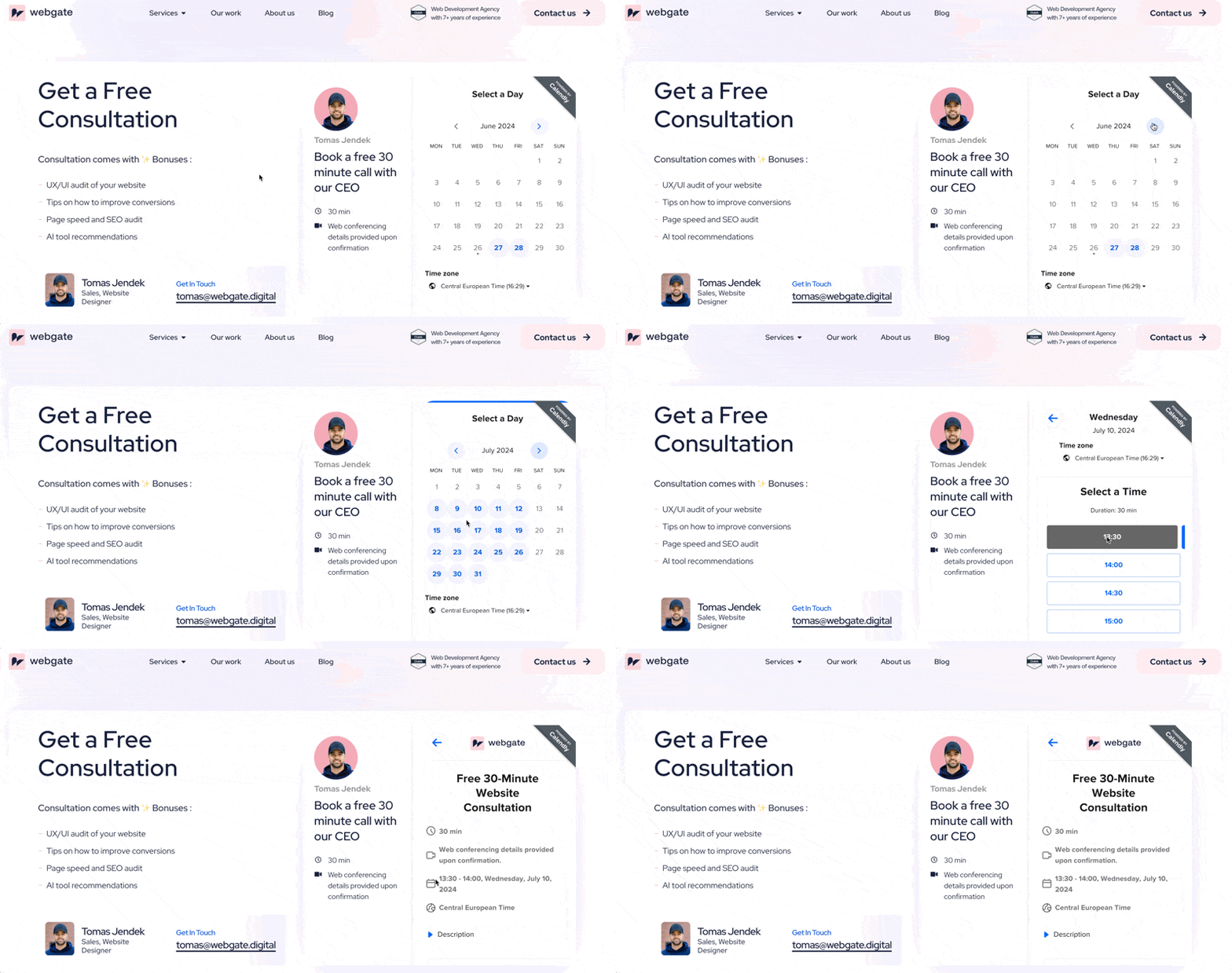
Embedding Calendly on your contact page can turn casual visitors into engaged leads. Here are some steps to maximize this strategy:
- Embed Calendly Forms Directly on Your Contact Page: Instead of redirecting visitors to a separate page, embed the Calendly form directly on your contact page. This reduces friction and keeps users engaged.
- Offer Multiple Meeting Options: Provide various meeting types (e.g., 15-minute consultation, 30-minute demo) to cater to different needs. This flexibility can appeal to a broader audience.
- Use Clear and Compelling CTAs: Ensure your call-to-action (CTA) is prominent and inviting. Phrases like “Schedule a Free Consultation” can encourage visitors to take the next step.
Best Practices for Embedding Calendly Forms on Contact Pages
To make the most out of your embedded Calendly forms, follow these best practices:
- Keep the Form Simple and Intuitive: A clutter-free, easy-to-navigate form increases the likelihood of bookings. Make sure your Calendly embed is straightforward and user-friendly.
- Customize the Form to Match Your Brand: Adjust the form’s appearance to align with your website’s design. A consistent look and feel can enhance user experience and trust.
- Prominently Display the Form: Place the Calendly form above the fold on your contact page so visitors see it immediately without scrolling.
Maximizing Lead Generation with Calendly on Your Website
To fully leverage Calendly for lead generation, consider these additional tips:
- Integrate with CRM Tools: Connect Calendly with your Customer Relationship Management (CRM) system to automatically capture and manage leads.
- Follow Up Promptly: Use automated email notifications and reminders to follow up with leads promptly after they book an appointment.
- Analyze and Optimize: Regularly review your Calendly booking data to understand user behavior and optimize your scheduling options and form placement accordingly.
Summary
In summary, embedding a Calendly scheduling form on a business website can drive a 30-70% increase in conversion rates, higher lead capture, faster sales cycles, improved productivity, and better data tracking—all of which can significantly impact a company’s growth and revenue. The seamless scheduling experience it provides customers is a key factor in these benefits.
Pro tip: Always leave the option to contact by email or phone. Do not force visitors to schedule a call only –